 how-to
How to Prevent Screen Print Fading on Custom Apparel
Table of Contents
- Why Screen Prints Fade: The Real Culprits
- How to Wash Screen Printed Shirts: A Step-by-Step Guide
- Drying Methods That Protect Your Print
- Screen Print vs DTF Durability: Know Your Print Type
- Storage and Folding: The Overlooked Factors in Screen Print Fading
- How to Restore Faded Screen Print
- Common Mistakes That Ruin Custom Apparel
- Conclusion: Keep Your Brand Looking Sharp
- Frequently Asked Questions
Last Updated: September 6, 2026
Screen print fading is the gradual breakdown of the ink layer on custom apparel caused by heat, friction, and chemical exposure during washing and drying. For businesses investing in branded uniforms, event gear, or employee apparel, a faded logo undermines the professional image you paid to create. Most fading is entirely preventable with the right care routine.
Your garment's worst enemy is not time but the laundry room. Heat from dryers and irons softens the ink, while friction from rubbing against other clothes scrapes it away. Below, we walk through the exact washing, drying, and storage methods that protect your print for years, not months, plus how to identify your print type and what to do when damage has already occurred.
Why Screen Prints Fade: The Real Culprits
Screen print fading is not a random defect; it is the predictable result of mechanical and thermal stress. The three primary culprits are heat exposure, which breaks down the binder in the ink; abrasion, where the print rubs against other fabrics; and harsh chemicals like bleach that attack the pigment itself.
During production, plastisol or water-based inks are heated to a specific temperature in a conveyor belt dryer so they bond with the fabric fibers. Once cured, the print is durable, but excessive heat in a household dryer or from an iron can re-soften that bond, making the ink susceptible to cracking and peeling.
Friction is the second major factor. When a printed shirt tumbles in a machine with zippers, buttons, or heavy denim, the constant rubbing acts like sandpaper on the design. This is why the direction of the wash cycle matters less than the level of mechanical agitation.
How to Wash Screen Printed Shirts: A Step-by-Step Guide
Proper washing is the single most effective way to prevent screen print fading, but the process involves more than just turning the shirt inside out. This guide covers the chemical and mechanical factors, including water hardness, that determine whether your print lasts 50 washes or 10.
Before You Wash: The Inside-Out Rule
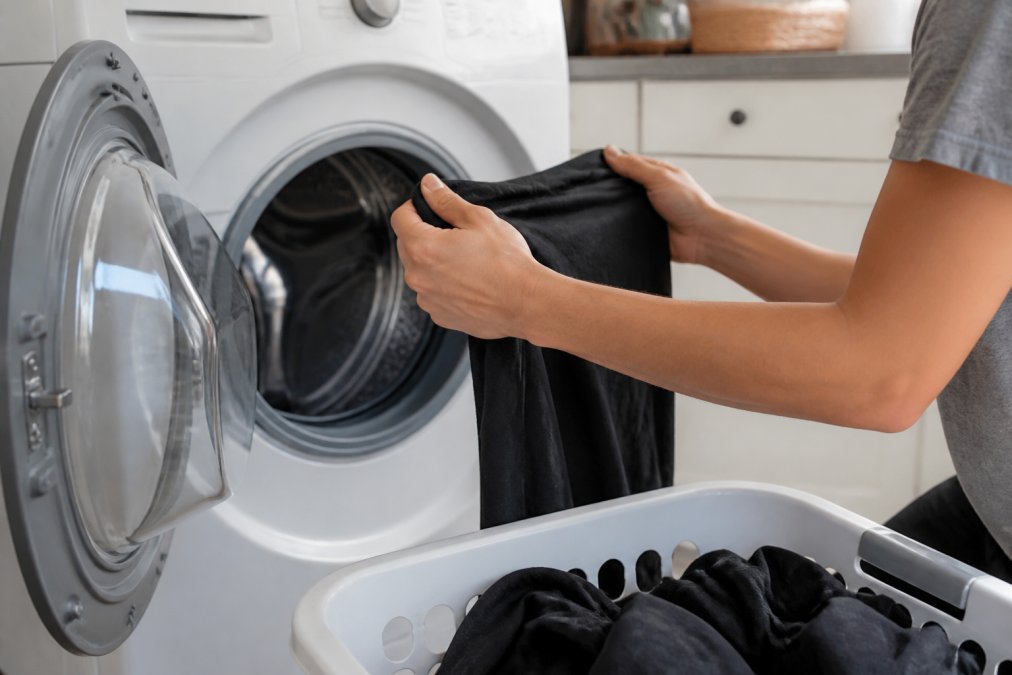
Turn the garment inside out before it ever touches water. This simple action keeps the decorated side shielded from direct contact with other clothing and the drum of the machine.
When the shirt is inside out, the friction that causes print degradation is absorbed by the plain fabric of the back panel instead of the ink layer. Make this a habit for every printed piece, including hoodies and jackets, and you will notice a significant difference in how long the design retains its vibrancy.
Water Quality: The Hidden Variable Most Guides Ignore
Most care guides stop at temperature and detergent, but the mineral content of your water, its hardness, directly affects print longevity. Hard water, which contains high levels of calcium and magnesium, is common across the Midwest and Southwest. According to the U.S. Geological Survey, more than 85% of American homes have hard water.
Hard water minerals react with detergent to form an insoluble residue (soap scum) that deposits on fabric fibers and the ink surface. Over time, this buildup creates a dull, hazy film over the print that mimics fading, and the residue acts as an abrasive grit during the wash cycle, accelerating mechanical wear on the ink layer.
If you suspect hard water is an issue, take these steps:
- Test your water: A simple test strip from a hardware store (under $15) will tell you your hardness level in grains per gallon (gpg).
- Use a water softener: If your water tests above 7 gpg, consider installing a point-of-entry softener or using a washing machine water conditioner like a magnetic descaler.
- Add a chelating agent: Products containing sodium hexametaphosphate (found in commercial water conditioners like Calgon) bind to the minerals and prevent them from depositing on your garments.
- Increase detergent slightly: Hard water requires more detergent to achieve the same cleaning effect, but do not overdo it, excess detergent leaves its own residue.
Choosing the Right Cycle and Detergent
Use a cold water wash with a gentle cycle and a low spin speed. Cold water, below 85 degrees Fahrenheit, prevents the ink from softening, while the gentle cycle minimizes mechanical agitation against the print.
For detergent, choose a standard liquid formula without bleach or optical brighteners. Avoid fabric softeners, which can leave a residue that dulls the ink's finish, and heavy-duty stain-removal detergents, which are often too abrasive for screen printed graphics.
Here is what to look for on the label:
- Avoid chlorine bleach (sodium hypochlorite) and oxygen bleach (sodium percarbonate) in any form, both attack the pigment binders in plastisol and water-based inks.
- Skip "stain-fighting" enzymes: Protease and amylase enzymes, common in premium detergents like Tide with Febreze, are designed to break down protein and starch stains. While they do not directly dissolve cured ink, they can weaken the binder matrix over repeated exposure.
- Choose fragrance-free or lightly scented formulas: Heavy fragrances require more surfactant load, which increases the chance of residue buildup on the print surface.
The Wash Cycle: What Actually Happens Inside
A standard top-loading machine with a center agitator subjects your garments to far more mechanical stress than a front-loading high-efficiency (HE) machine. The agitator twists and pulls fabric, creating the exact abrasion that scrapes ink from the surface. If you have a top-loader with an agitator, consider these adjustments:
- Use the "delicates" or "hand wash" cycle even if it takes longer, the reduced agitation is worth the extra minutes.
- Reduce load size: A half-full machine allows clothes to move more freely, reducing the friction between items. Overloading forces garments to rub against each other constantly.
- Zip all zippers and fasten all hooks: Loose zippers act like saw blades against adjacent prints. If you must wash printed shirts with other items, place them in a mesh laundry bag for an extra layer of protection.
By addressing water quality, detergent chemistry, and mechanical agitation, you move beyond the generic "wash inside out" advice and give your prints a fighting chance against heat, friction, and chemical attack.
Drying Methods That Protect Your Print
Air drying is the safest method to prevent screen print fading, but if you must use a machine, low heat is non-negotiable. The high heat of a standard drying cycle is the leading cause of ink cracking and peeling.
Lay the garment flat on a drying rack or hang it on a line, keeping the printed side out of direct, intense sunlight, which can also fade pigments over time. If you are in a hurry, use the tumble dry low setting and remove the shirt while it is still slightly damp, then finish air drying.
Heat exposure does not end at the dryer. Never iron directly over a screen print. If wrinkles need removal, iron the garment inside out on a low setting, or place a pressing cloth between the iron and the design. This is also critical for anyone using a heat press for maintenance, as incorrect temperatures can ruin the print instantly.
Screen Print vs DTF Durability: Know Your Print Type
Understanding the difference between screen print vs DTF durability helps you set realistic expectations for how long your apparel will last, and what to do when it eventually shows wear. This section covers the technical mechanisms behind each method's failure modes and provides print-type-specific restoration guidance.
Screen Printing: The Workhorse of Durability
Screen printing forces ink through a mesh stencil directly onto the fabric. Two primary ink systems dominate the industry:
- Plastisol ink: A PVC-based liquid that remains suspended in the mesh until cured. It requires a curing temperature of 320°F (160°C) for 60-90 seconds in a conveyor dryer. Plastisol sits on top of the fabric rather than absorbing into it, creating a thick, rubbery deposit that resists abrasion exceptionally well. Its weakness is flexibility, on stretchy fabrics, the thick layer can crack if the garment stretches beyond the ink's elasticity.
- Water-based ink: This ink absorbs into the fabric fibers before curing, creating a softer, breathable print with no raised texture. It cures at a similar temperature (320°F) but requires longer dwell time. Water-based prints are more susceptible to fading from UV exposure and repeated washing because the pigment is distributed throughout the fiber rather than concentrated in a surface layer.
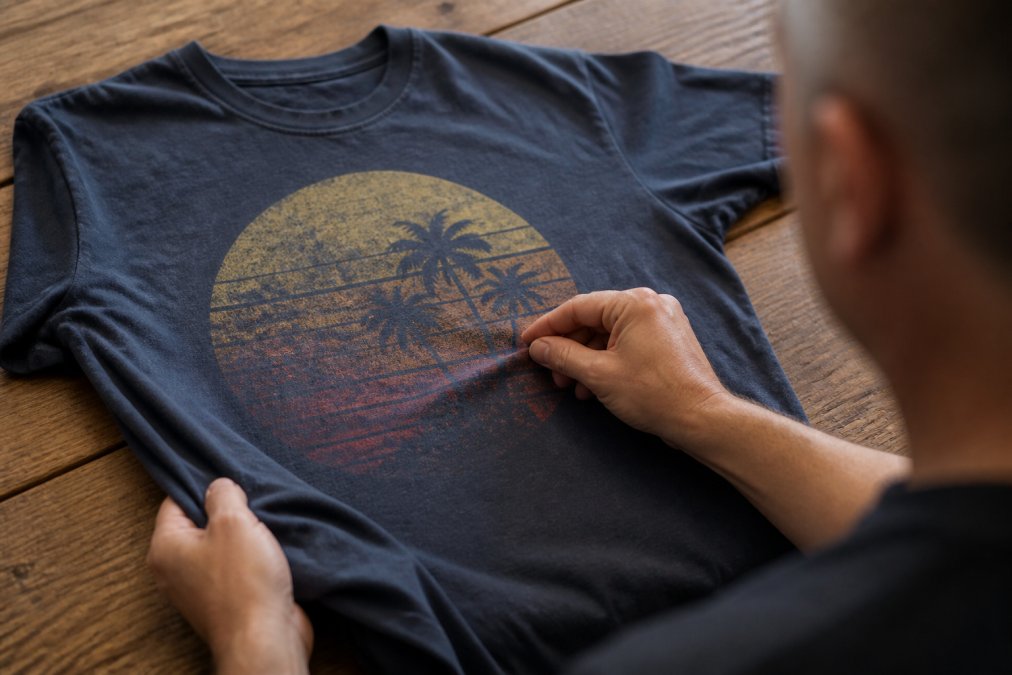
Failure mode for screen prints: Cracking begins at stress points, fold lines, underarm areas, and across the chest where the fabric stretches. Once a crack forms, water and detergent penetrate the gap and accelerate delamination from the fabric. This is why proper folding and storage matter as much as washing technique.
DTF Transfers: The Newcomer with Trade-offs
Direct-to-film (DTF) printing involves printing a design onto a PET film, applying a hot-melt adhesive powder, and then heat-pressing the transfer onto the garment at approximately 320°F for 10-15 seconds. The adhesive layer is what bonds the design to the fabric.
Failure mode for DTF: The adhesive layer is the weak point. If the heat press temperature is too low or the dwell time too short, the adhesive does not fully activate, leading to edge peeling within the first few washes. Conversely, excessive heat can cause the adhesive to bleed through the fabric or degrade the film's color layer. DTF prints also tend to be thinner than plastisol screen prints, making them more susceptible to abrasion on high-friction areas like pockets and sleeves.
When DTF makes sense: For small orders (under 50 pieces), full-color photographic designs, or garments with complex seams where screen printing registration is difficult, DTF offers superior color vibrancy and detail. For workwear and uniforms facing frequent industrial washing, screen printing remains the superior choice due to its thicker ink deposit.
Restoration: What Actually Works for Each Print Type
Once a print has faded, cracked, or peeled, the restoration options depend entirely on the print method:
For screen prints with minor surface dullness (no cracking):
- The ink layer itself cannot be "revived" with any home treatment. Color revitalizers like Rit DyeRemover or fabric paints only affect the fabric, not the cured ink.
- If the dullness is caused by detergent residue or hard water mineral buildup (not actual pigment loss), a vinegar rinse can help. Add 1/2 cup of white vinegar to the final rinse cycle, the acetic acid dissolves mineral deposits without attacking the ink. Test on an inconspicuous area first.
For screen prints with cracking or peeling:
- The damaged ink layer must be removed or covered. Professional reprinting is the only reliable fix. A reputable shop will either print over the existing design with a thicker ink deposit if the old print is still mostly intact but cracked, or use a print-removal solvent (typically a butyl-based compound) to strip the old ink before reprinting. This is labor-intensive and adds cost, but it produces a like-new result.
- Do not attempt to peel off cracked plastisol by hand, this will pull fabric fibers and leave a permanent thin spot.
For DTF prints with edge peeling:
- If the peeling is caught early (within the first few washes), a heat press can sometimes re-activate the adhesive. Place a Teflon sheet over the print and press at 320°F for 8-10 seconds. This works only if the adhesive was under-cured initially, if the film itself is degrading, re-pressing will not help.
- Once a DTF transfer begins peeling across more than 10% of its surface, re-pressing is futile. The transfer must be removed and replaced. Professional removal uses a heat gun to soften the adhesive, followed by careful peeling.
Longevity Expectations: What to Tell Your Customers
Set realistic expectations based on industry-standard testing:
- Plastisol screen print on 100% cotton: 50-75 washes with proper care (cold water, inside out, air dry).
- Water-based screen print: 30-50 washes, the softer hand feel comes at the cost of durability.
- DTF transfer: 25-40 washes with proper care. The adhesive layer degrades faster than plastisol under repeated washing.
These numbers assume you follow the care instructions in this article. Ignore them, and you can cut those numbers in half. The industry guide on apparel decorating techniques provides additional technical specifications if you need deeper detail on print methods and their performance characteristics.
Storage and Folding: The Overlooked Factors in Screen Print Fading
How you store and fold your custom apparel between wears plays a major role in preventing screen print fading. Improper storage can cause creasing, cracking, and color transfer.
Fold printed shirts with the design facing outward and avoid stacking heavy items on top of them for extended periods. The weight of other garments can press creases into the print, weakening the ink at those fold lines. When hanging, use wide, padded hangers to distribute the weight evenly and prevent stretching around the neckline and shoulders, which can distort the design.
Store apparel in a cool, dry, dark place. Prolonged exposure to sunlight, even indirect light through a window, will cause the pigments to break down over time. For seasonal items like event t-shirts, consider storing them in opaque bins rather than on open shelves. These habits will keep your inventory looking fresh for your next campaign.
How to Restore Faded Screen Print
Once a screen print has faded, there is no home remedy that will bring the original vibrancy back to the existing ink layer. The most effective restoration method is to re-press the garment with a fresh print.
If the fading is minor and limited to surface dullness, you can sometimes improve the appearance by using a fabric-safe color revitalizer on the fabric itself, but this will not restore the ink. For prints that are cracking or peeling, the damaged layer should be removed or covered. The best approach is to have the shirt reprinted professionally, ensuring the new design is properly cured for maximum durability.
To prevent this from happening again, review your washing and drying routine. The issue is rarely the quality of the original print, but rather the cumulative effect of high heat and harsh cycles over several months.
Common Mistakes That Ruin Custom Apparel
Several routine habits quietly destroy screen printed designs, and most people do not realize the damage until it is too late. Avoiding these errors is the most cost-effective way to protect your branded merchandise investment.
- Using hot water: High temperatures soften the ink, making it prone to cracking and peeling away from the fabric.
- Tumble drying on high: The combination of heat and tumbling friction is the fastest way to degrade a print. Always default to air dry or low heat.
- Washing with heavy items: Mixing printed shirts with jeans or jackets covered in zippers and rivets increases abrasion and leads to premature fading.
- Ignoring fresh prints: A newly printed shirt should wait at least 24 to 48 hours before its first wash to allow the ink to fully cure and set.
- Using chlorine bleach: Bleach is a solvent for many ink pigments. Even a small amount in a load can cause discoloration and spotting on the print.
By eliminating these habits, you significantly extend the usable life of your apparel. For teams that need durable, long-lasting workwear, understanding these basics of garment care is just as important as the initial print quality. The Federal Trade Commission's guidance on product care labels notes that following manufacturer instructions is key to maintaining product integrity.
Conclusion: Keep Your Brand Looking Sharp
Keeping your custom apparel vibrant requires a consistent routine of cold washes, inside-out placement, and low-heat drying. The effort you put into garment care directly determines how long your brand makes a positive impression on customers and employees.
Our team handles everything from design to production, and we are happy to advise on the best print type for your specific needs, whether that is durable screen printing for uniforms or another decorating method. Get started with Logo Concepts & Printing and keep your team looking professional wash after wash. For more details on caring for your specific order, you can also review general textile care resources from the American Cleaning Institute.
Frequently Asked Questions
Does turning shirts inside out help prevent print fading?
Yes. Turning your shirt inside out is one of the most effective steps to prevent screen print fading. This simple action shields the print from direct friction against other garments and the drum of the washing machine. It also minimizes exposure to harsh detergents and dyes from other clothes. Make it a habit for every custom apparel item you own to significantly extend the life and vibrancy of the screen print.
What is the best way to dry screen printed shirts to avoid fading?
Air drying is the best method to prevent screen print fading. Lay the shirt flat or hang it in a shaded area to dry. If you must use a dryer, select the lowest heat setting, like 'tumble dry low', and remove the shirt while it is still slightly damp. High heat is a major cause of cracking and fading, so consistent low-heat or no-heat drying is critical for maintaining the integrity of the print.
How long should a high-quality screen print last?
With proper care, a high-quality screen print can last for the lifetime of the garment, typically 50 washes or more. Prints from plastisol ink are known for their durability, while water-based inks may fade more gracefully over time. The longevity depends heavily on the ink type, curing process, and how you wash and dry the shirt. Following care instructions, like washing inside out in cold water and air drying, is the key to maximizing the lifespan.
Can you fix a screen print that has already started to fade?
Once a screen print begins to fade or crack significantly, it is difficult to restore it to its original condition. Minor fading can sometimes be improved by using a garment-safe fabric pen to touch up small areas, but this is rarely a perfect match. The most reliable solution is to replace the garment. For future orders, ask your provider about print durability options to ensure you get the most robust product for your needs.