 ultimate-guide
Value of AI Image Enhancements: ROI & Real-World Impact
Table of Contents
- What AI Image Enhancement Actually Does
- How AI Image Enhancement Works
- AI Image Enhancer Tools and Their Capabilities
- Real-World AI Photo Enhancement Examples
- Understanding AI Image Upscaling for Resolution Improvement
- AI Image Enhancement Limitations and Authenticity Concerns
- Measuring ROI: Time Savings, Quality Gains, and Business Impact
- Privacy, Copyright, and Responsible AI Image Use
- Frequently Asked Questions
Last Updated: October 21, 2026
What AI Image Enhancement Actually Does
AI image enhancement is the automated process of improving digital photos by using machine learning algorithms to increase sharpness, reduce noise, correct colors, and restore missing details. Unlike traditional manual editing, which requires hands-on adjustment by a designer or photographer, AI-powered tools analyze an image's pixels and apply intelligent corrections in seconds.
The core difference comes down to speed and consistency. When your marketing team needs to process hundreds of product photos for an ecommerce catalog, manual editing becomes a bottleneck. AI image enhancement eliminates that bottleneck entirely. The technology doesn't replace creative direction, it handles the technical grunt work that eats up hours.
At Logo Concepts & Printing, we've worked with businesses across automotive, banking, and construction industries who struggle with inconsistent photo quality for their marketing materials. Whether you're photographing branded apparel, promotional products, or campaign assets, inconsistent lighting and resolution can undermine your visual brand. AI enhancement standardizes quality across batches, which matters when you're building cohesive marketing campaigns.
The real value isn't just prettier pictures. It's consistency, speed, and the ability to salvage shots that would otherwise require reshooting.
How AI Image Enhancement Works
AI image enhancement operates through neural networks trained on millions of high-quality reference images. The algorithm learns patterns of what "good" image quality looks like, proper lighting balance, natural color saturation, sharp details, and applies those learned patterns to your photos.
The process happens in layers. First, the AI analyzes the entire image to understand its composition, lighting conditions, and current quality level. Then it applies targeted corrections: brightening underexposed areas, reducing color noise in shadows, sharpening fine details without creating artifacts, and balancing contrast across the frame.
What separates modern AI image enhancement from older automated tools is precision. Legacy photo editors applied blanket filters. Current AI systems understand context. If a shadow should stay dark for compositional reasons, the algorithm preserves it while still improving detail visibility. If a color cast is intentional (like warm lighting in a portrait), the tool respects it rather than forcing neutral tones.
The processing speed matters for real workflows. A batch of 50 product photos that would take a designer 3-4 hours to manually touch up can be processed by AI in minutes, with results that require minimal additional adjustment.
AI Image Enhancer Tools and Their Capabilities
Different AI image enhancement tools excel at different tasks, depending on their training data and underlying architecture. Some specialize in upscaling low-resolution images, others focus on noise reduction, and some provide broad general enhancement across multiple dimensions.
The most capable tools offer:
- Detail reconstruction: Analyzing low-resolution pixels and inferring what fine details likely existed in the original, then rendering them back into the image at higher resolution
- Noise reduction: Identifying and removing digital noise (the grainy texture in photos taken in low light) while preserving actual image detail
- Color correction: Adjusting white balance, saturation, and hue to match professional standards or brand color palettes
- Contrast and brightness adjustment: Balancing tonal range to ensure no detail is lost in shadows or highlights
- Sharpening: Increasing edge definition without creating unnatural halos or artifacts
When evaluating an AI image enhancer, look for tools that let you control the intensity of each adjustment. Heavy-handed enhancement can introduce artifacts, unnatural patterns or distortions that signal the image has been processed. The best tools apply corrections that look natural and maintain the original character of the photo.
For businesses using AI image enhancement in marketing workflows, integration matters. Does the tool connect to your design software? Can you batch-process dozens of images at once? Does it support the file formats your team actually uses?
Real-World AI Photo Enhancement Examples
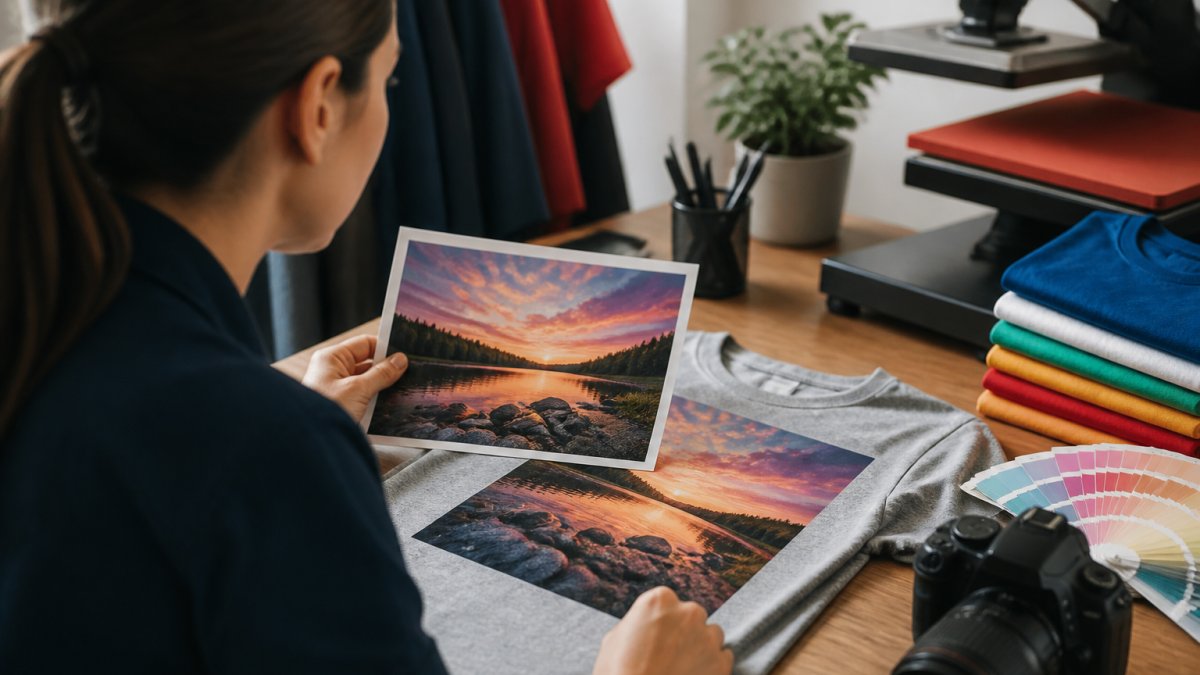
Consider a common scenario: a product photography session that didn't go perfectly. The lighting was slightly off, some shots are softer than desired, and the background has visible noise. A designer would spend 30-45 minutes per image manually correcting these issues in post-processing software.
With AI image enhancement, the same batch of 20 images gets processed in under 5 minutes. The algorithm sharpens soft focus, reduces background noise, and balances the lighting across all shots. The results aren't perfect, some images may need minor manual tweaks, but you've eliminated 90% of the manual work.
Another practical example: a construction company needs headshots of team members for their website and marketing materials. Not all photos are taken in ideal lighting conditions. Some have mixed color temperatures from indoor and outdoor light sources.
For ecommerce operations, this scales dramatically. A retailer with 500 product images in their catalog can't afford to manually retouch every one. AI enhancement ensures consistent visual quality across the entire catalog, which directly impacts how products appear to customers and influences perceived quality.
The practical impact: photos that would have required reshoot or expensive professional retouching can now be salvaged and enhanced in minutes. This matters most when your marketing timeline is tight and you can't afford delays waiting for a designer to manually process images.
Understanding AI Image Upscaling for Resolution Improvement
AI image upscaling is a specific application of AI image enhancement focused on increasing image resolution, taking a low-resolution photo and expanding it to higher pixel dimensions while maintaining or improving visual quality.
Traditional image upscaling (bicubic interpolation) simply enlarges pixels, creating a blurry, low-quality result. AI upscaling works differently. The algorithm analyzes the existing pixels, learns what details are likely present based on patterns in its training data, and reconstructs those details at the larger resolution.
This matters for businesses dealing with legacy images or photos that were originally captured at lower resolution. A 1000x800 pixel product photo can be upscaled to 2000x1600 pixels, doubling the dimensions, while maintaining sharpness and detail. The algorithm infers what fine details should exist based on what it learned from millions of high-quality images.
The limitation is honest: upscaling can't create information that was never captured. If a photo is genuinely blurry because the camera was out of focus, upscaling will sharpen the blur but won't recover the original detail. The best results come from upscaling images that are simply lower-resolution but were captured in focus.
For marketing teams, upscaling solves a practical problem. You have archived product photos from years ago at lower resolution, but you need them for a new campaign at higher resolution. Rather than reshoot or hire a retoucher, AI upscaling gets you usable images in minutes.
AI Image Enhancement Limitations and Authenticity Concerns
AI image enhancement produces impressive results, but it has real boundaries. Understanding these limitations prevents disappointment and ensures you use the technology appropriately for your business.
Artifact generation is the most visible limitation. When enhancement algorithms push too hard, they create unnatural patterns, halos around edges, unnatural smoothing of skin texture, or strange color shifts in specific areas. Heavy-handed enhancement becomes obvious and undermines credibility.
Loss of authenticity is a subtler but more serious concern. If your marketing relies on showing products exactly as they appear, aggressive AI enhancement might cross into misrepresentation.
Detail hallucination occurs in upscaling. The algorithm doesn't recover original detail, it infers what detail likely exists and renders it. Sometimes those inferences are accurate. Sometimes they're not. A texture might be invented rather than preserved. For marketing purposes, this is usually acceptable. For documentation or archival purposes, it's problematic.
Color accuracy can suffer, especially in images with mixed lighting. AI enhancement might normalize colors in ways that don't match your brand standards or the actual product appearance. Manual review after enhancement is often necessary.
The responsible approach: use AI image enhancement to improve technical quality, sharpness, noise reduction, lighting balance, but maintain human oversight. Don't let automation override your judgment about what the image should look like. Review enhanced images before publishing them in marketing materials.
Measuring ROI: Time Savings, Quality Gains, and Business Impact
The return on investment from AI image enhancement comes from two primary sources: time savings and quality improvement.
Time savings are quantifiable. A designer manually retouching product photos might process 8-12 images per hour, depending on complexity. An AI enhancement tool processes dozens per minute.
Multiply that across a year. If your team processes 1,000 product images annually, AI enhancement saves 80-100 hours of designer time. At typical design labor costs, that's meaningful savings.
Quality improvement is harder to quantify but directly impacts business metrics. Better product photos increase perceived quality, which influences conversion rates. Consistent lighting and color across your product catalog builds visual brand cohesion. Professional-looking images reduce return rates because customer expectations align with what they actually receive.
For businesses like Logo Concepts & Printing working with promotional products and branded apparel, visual consistency matters. When you're showing customers what their embroidered polo shirts or custom printed materials will look like, photo quality directly influences their confidence in the purchase.
The real ROI calculation includes:
- Hours saved on manual retouching
- Reduction in reshoot costs when AI enhancement salvages imperfect shots
- Improved conversion rates from better product photography
- Faster campaign launches when you're not bottlenecked waiting for design work
Most businesses see positive ROI within the first month of implementing AI image enhancement, driven primarily by time savings. Quality improvements accumulate over time as your entire product catalog gets standardized visual treatment.
Privacy, Copyright, and Responsible AI Image Use
Before implementing AI image enhancement in your workflow, understand the legal and ethical considerations.
Copyright and ownership: When you use an AI image enhancement tool, you retain ownership of your enhanced images. The tool processes your images but doesn't claim rights to them.
Privacy concerns: If you're enhancing images containing people, employee headshots, customer testimonials, event photos, ensure you have consent to process and use those images. AI enhancement doesn't change the underlying privacy obligations.
Training data transparency: Some AI image enhancement tools train their algorithms on images uploaded by users. If privacy is a concern, use tools that explicitly don't use your images for training purposes.
Authenticity and disclosure: If you're using AI enhancement for marketing images, product photos, promotional materials, consider whether disclosure is necessary. For most business purposes, it's not.
The responsible approach: use AI enhancement to improve technical quality of images you own or have rights to use.
The value of AI image enhancement comes down to practical impact: faster workflows, consistent quality, and the ability to salvage photos that would otherwise require expensive reshoot or manual retouching.
At Logo Concepts & Printing, we understand that visual quality directly influences how customers perceive your brand.
Ready to improve your marketing visuals? Contact us today to discuss how AI-enhanced imagery can strengthen your brand campaigns and marketing materials.
Frequently Asked Questions
What is AI image enhancement and how does it differ from traditional photo editing?
AI image enhancement uses machine learning algorithms to automatically improve photos by adjusting resolution, reducing noise, correcting color and lighting, and sharpening details. Unlike traditional editing, which requires manual adjustment of each setting, AI automation analyzes the entire image and applies corrections in seconds. This speeds up editing workflows significantly while often producing professional-grade results without requiring design expertise.
Can AI image enhancement actually improve low-resolution images without losing authenticity?
AI image upscaling can reconstruct detail in low-resolution images by predicting missing pixels based on learned patterns. However, the results depend on how severely degraded the original image is. For moderately low-resolution photos, AI enhancement produces convincing improvements. For extremely degraded images, artifacts may appear. Always evaluate before-and-after results carefully and use AI enhancement for marketing materials where slight interpretation of detail is acceptable, not for images requiring forensic accuracy.
What measurable benefits does AI image enhancement provide for marketing and ecommerce?
AI image enhancement delivers three key benefits: faster editing workflows (reducing processing time from hours to minutes), improved visual quality that increases perceived product value, and stronger visual appeal that can boost customer engagement and conversion rates. For ecommerce and product photography, consistent professional-grade visuals across product catalogs enhance brand image and user experience. Time savings allow marketing teams to refresh campaigns more frequently without increasing design headcount.
What are the main limitations of AI image enhancement I should know before using it?
AI image enhancement has several limitations: it cannot invent details that don't exist in the original (though it may create plausible-looking artifacts), it works best on photos with moderate quality issues rather than severely damaged images, and results vary by tool and image type. Additionally, AI-enhanced images may not be suitable for contexts requiring absolute authenticity or legal documentation. Always review results critically, disclose AI enhancement where transparency is required, and test on a small batch before applying to entire product catalogs.