 how-to
How to Prevent Screen Print Peeling: A Complete Guide
Table of Contents
- Why Screen Prints Peel: Root Causes and Diagnosis
- The Curing and Adhesion Workflow: Getting It Right from Production
- How to Wash Screen-Printed Shirts Without Damage
- How to Dry Screen-Printed Shirts to Prevent Peeling
- How to Fix Peeling Screen Print on Existing Garments
- How Long Does Screen Printing Last with Proper Care
- Testing Your Print Before Production: A Preventive Workflow
- Frequently Asked Questions
Last Updated: October 5, 2026
Why Screen Prints Peel: Root Causes and Diagnosis
Screen print peeling happens for specific reasons. Understanding what causes it is the first step to prevent screen print peeling.
The most common culprits are incomplete curing, wrong fabric choices, and poor ink deposit during printing. Each one requires a different fix. Getting the diagnosis right saves you from wasting time on solutions that won't work.
Incomplete Curing and Adhesion Failure
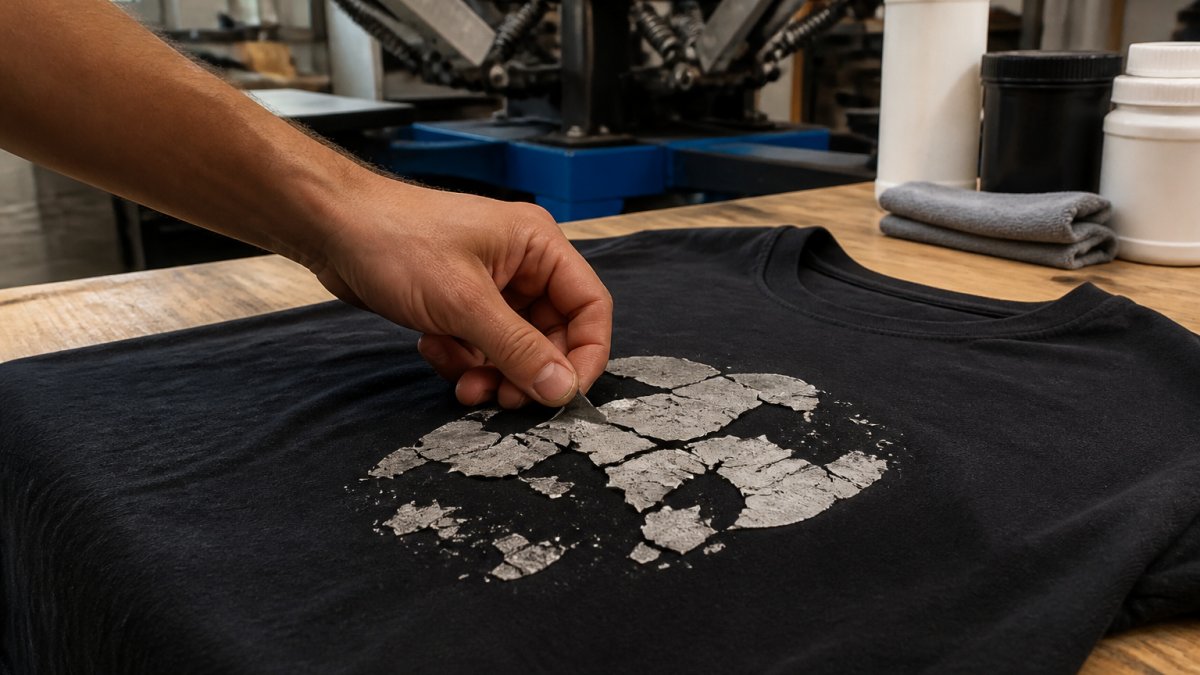
Incomplete curing is the leading cause of screen print peeling. When ink doesn't cure fully, it sits on top of the fabric instead of bonding to it. The ink becomes brittle and flakes off during the first few washes.
Curing requires heat, time, and the right temperature. Many shops rush this step. They pull garments off the heat press too early or don't reach the target temperature. The ink looks dry on the surface but hasn't actually bonded to the fabric fibers underneath.
Signs of incomplete curing:
- Print feels stiff and plastic-like instead of flexible
- Ink cracks when you bend the garment
- Peeling starts after the first or second wash
- The printed area looks glossy instead of matte
The fix is straightforward: extend curing time and verify your heat press reaches the correct temperature.
Fabric Type and Ink Compatibility Issues
Not every ink works on every fabric. Cotton absorbs ink differently than polyester blends. Natural fabrics need different adhesion approaches than synthetic ones.
When fabric and ink don't match, the ink sits on the surface instead of bonding. It peels away during washing because there's no real connection between the ink and the fiber.
Common mismatches:
- Silicone-based ink on 100% cotton without primer
- Standard plastisol ink on stretchy athletic fabrics
- Water-based ink on polyester without proper base coat
- High-gloss ink on rough, textured fabrics
The solution starts before printing. Test your ink on a sample of the actual fabric you'll use. Wash that test garment five times. If the print holds, you've got the right combination. If it peels, switch your ink type or add a primer layer.
Screen Mesh and Ink Deposit Problems
Screen mesh size controls how much ink deposits onto the fabric. Too fine a mesh and not enough ink transfers. Too coarse a mesh and you get excess ink that doesn't cure properly.
The ink deposit needs to be consistent. Thin spots dry faster and crack. Thick spots take longer to cure and peel more easily. The sweet spot is a smooth, even layer that feels slightly raised but not sticky.
Mesh size guidelines:
- 110-156 mesh: Heavy ink deposit for bold, durable prints
- 200-230 mesh: Medium deposit for detailed work
- 305+ mesh: Fine deposit for photo-quality detail
If your prints peel unevenly, check your screen mesh first. A worn or damaged screen creates thin spots where ink doesn't transfer properly. Replace screens that show signs of wear.
The Curing and Adhesion Workflow: Getting It Right from Production
Curing and adhesion determine whether your print lasts or peels. This is where most peeling problems start. You can't fix a bad cure after the fact. You have to get it right during production.
Pre-Press Preparation and Primer Application
Pre-press preparation sets up success. Clean fabric removes dust, oils, and finishes that block ink adhesion. Many manufacturers apply finishes to fabric to keep it looking fresh. These finishes sit between the ink and the fiber.
A quick wash or pre-treatment removes these barriers. Some printers use a primer or adhesion base as an extra layer. The primer bonds to the fabric, and the ink bonds to the primer. This creates a three-layer system that resists peeling.
Pre-press steps:
- Wash garment in cool water to remove finishes
- Air dry completely before printing
- Apply primer or adhesion base if using water-based or silicone ink
- Let primer cure fully before screen printing
Curing Temperature and Adhesion Base Setup
Curing temperature is not optional. It's the difference between ink that sticks and ink that peels. Different inks cure at different temperatures.
Your heat press needs to reach that temperature consistently.
Curing workflow:
- Set heat press to target temperature and verify with a thermometer
- Allow press to stabilize for 10 minutes before printing
- Apply garment to press for the full recommended time
- Remove and let cool for 2-3 minutes before stacking
- Store finished garments flat or on racks for 24 hours before packaging
Rushing this step is where most businesses lose quality.
How to Wash Screen-Printed Shirts Without Damage
How you wash a screen-printed shirt determines how long the print lasts. Wrong washing techniques cause more peeling than any other post-production factor.
The goal is to clean the garment without stressing the printed area. Gentle handling, cool water, and mild detergent keep the ink bonded to the fabric.
Hand Wash vs. Gentle Cycle: Best Practices
Hand washing is the safest option for screen-printed garments. You control the pressure and movement. There's no agitation to stress the print.
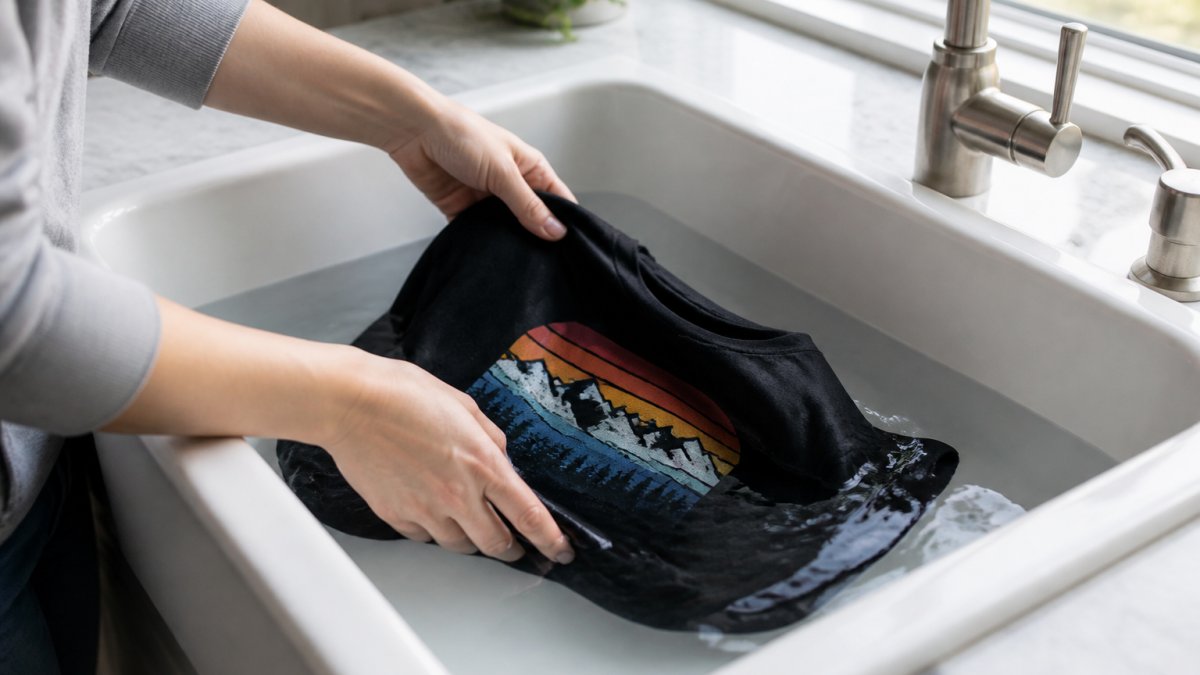
Fill a sink with cool water and add a mild detergent. Submerge the garment and let it soak for 5-10 minutes. Gently rub the fabric between your hands.
If you use a washing machine, select the gentle or delicate cycle. Use cold water only. Hot water weakens ink adhesion and causes fading. The gentle cycle reduces agitation, which means less stress on the printed area.
Washing comparison:
| Method | Water Temp | Agitation | Best For |
|---|---|---|---|
| Hand wash | Cold | Minimal | Premium garments, delicate prints |
| Gentle cycle | Cold | Low | Regular wear, durable prints |
| Regular cycle | Any | High | Avoid for screen prints |
| Hot water | Hot | Any | Avoid completely |
Never wash screen-printed garments inside a dryer or on a regular wash cycle. The heat and agitation break down ink adhesion. Even one wash on a regular cycle can start peeling.
Water Temperature and Detergent Selection
Cold water is non-negotiable for screen-printed apparel. Hot water opens up fabric fibers and weakens the bond between ink and fabric. It also causes fading and color bleeding.
Detergent choice matters too. Harsh detergents with bleach or heavy surfactants break down ink. They're designed to strip stains and dirt, which means they also strip ink from fabric.
Detergent guidelines:
- Use mild, fragrance-free detergent
- Avoid products with bleach or oxygen boosters
- Skip fabric softeners (they coat the fabric and weaken adhesion)
- Never use hot water, even with gentle detergent
- Rinse thoroughly to remove all soap residue
Water temperature should be 60°F or colder. If your tap water is warm, add ice or use filtered cold water. This extra step protects your prints and extends their life significantly.
How to Dry Screen-Printed Shirts to Prevent Peeling
Drying is the final step in print care. The wrong drying method undoes all the care you took during washing.
Air-Drying vs. Machine Drying
Air drying is always the best choice for screen-printed garments. Hang the shirt in a shaded area with good air circulation. Direct sunlight fades ink and can cause cracking. Machine heat weakens adhesion and speeds up peeling.
A clothes rack or hanger works perfectly. Avoid clotheslines in direct sunlight. If you must use a dryer, use the lowest heat setting and remove the garment while it's still damp. Better yet, skip the dryer entirely.
Air drying takes longer, but it preserves your prints.
Drying methods ranked:
- Air dry in shade (best)
- Air dry indoors (good)
- Low-heat dryer cycle (acceptable if necessary)
- High-heat dryer (avoid)
- Direct sunlight (never)
Avoiding Heat and Direct Sunlight
Heat and UV light are print killers. Heat weakens ink adhesion. Sunlight fades the ink and causes the printed area to become brittle.
Store screen-printed garments in a cool, dark place. A closet or drawer is ideal. Avoid storing them in hot attics or near heating vents. If you're storing printed apparel for long periods, use acid-free tissue paper to prevent creasing.
When drying, choose shade over sun. When storing, choose cool over warm. These simple choices add months or years to your print's lifespan.
How to Fix Peeling Screen Print on Existing Garments
If a screen print is already peeling, you have limited options. Prevention is always better than repair. But if peeling has started, here's what you can do.
Stop wearing the garment immediately. Continued washing and wearing will accelerate peeling. The more you use it, the more the print will flake away.
For minor peeling at the edges, trim loose pieces carefully with small scissors. Don't pull the ink.
For widespread peeling, the garment is past repair. The ink-to-fabric bond has failed. No adhesive or sealant will restore it permanently.
This is why prevention matters so much. Once peeling starts, you can't fully restore the print. You can only slow the damage.
How Long Does Screen Printing Last with Proper Care
Screen printing is durable when done right and cared for properly.
The lifespan depends on three factors: production quality, fabric choice, and how the garment is cared for.
Production quality includes proper curing, correct ink-to-fabric match, and consistent ink deposit. Garments printed at professional shops with quality control typically outlast those printed hastily.
Fabric choice matters because some fabrics hold ink better than others.
Care practices determine real-world lifespan. A garment washed in cold water by hand lasts much longer than one thrown in a hot dryer every week. Proper storage in a cool, dark place preserves the print longer than hanging it in direct sunlight.
Testing Your Print Before Production: A Preventive Workflow
The best way to prevent screen print peeling is to test before you print your full order.
Print a small test batch on the exact fabric you plan to use.
Wash the test garments five times using the care instructions you'll recommend to customers.
Testing checklist:
- Print adheres to fabric with no lifting at edges
- Ink feels flexible, not brittle or cracking
- No color fading after five cold-water washes
- No peeling or flaking after air drying
- Print maintains color consistency across all test garments
If any test garment shows peeling, stop. Don't print the full order. Adjust your ink, fabric, or curing process.
Once testing passes, you can print with confidence. You know your print will last because you've verified it under real-world conditions.
Screen print peeling is preventable. It starts with understanding the root causes: incomplete curing, fabric-ink mismatches, and poor ink deposit.
When you order screen-printed apparel from Logo Concepts & Printing, we handle all of this for you.
Frequently Asked Questions
Why are my screen prints peeling off after just a few washes?
Screen print peeling usually stems from incomplete curing during production, poor ink adhesion to the fabric, or improper washing techniques. If prints peel immediately or within the first few washes, the issue is typically inadequate curing temperature or insufficient adhesion base applied during pre-press. If peeling occurs after months of wear, washing in hot water or using harsh detergents is the most common culprit.
How should you wash screen-printed shirts to prevent peeling?
Turn the garment inside out before washing to shield the printed area from friction. Use cold water and a gentle cycle rather than hot water, which weakens ink adhesion. Avoid bleach and fragrant detergents that can degrade the ink layer. Hand wash is ideal if possible, but a gentle machine cycle works if you keep the temperature low. Never rub or scrub the printed area directly. Wash with similar colors to prevent dye transfer, and wash printed items separately from heavy fabrics that might cause abrasion.
Can putting a screen-printed shirt in the dryer cause peeling?
Yes. Machine dryers generate sustained heat that can weaken ink adhesion. Air-drying is the safest method for screen-printed garments. If you must use a dryer, use the lowest heat setting and remove the garment while still slightly damp. Avoid direct sunlight during air-drying as well, since UV exposure can cause the ink to fade and become brittle, increasing peeling risk over time.
How long will a screen print last if I care for it properly?
With proper curing, washing, and drying techniques, a screen-printed garment can maintain print durability and peel resistance, depending on the ink type and fabric. The key is maintaining cold water washing, gentle handling, air-drying, and avoiding bleach and harsh detergents. Regular wear without proper care can reduce durability, so care instructions tailored to the specific print process matter far more than the initial print quality.